WordPress Security Checklist 2026: How to Secure Your Site

Quick answer
To secure a WordPress site in 2026, keep core, plugins and themes updated within hours of a security release, remove anything you do not use, and protect every admin account with two-factor authentication. Then add a web application firewall, harden wp-config.php and file permissions, and keep automatic off-site backups that you have actually tested restoring. Most hacks I clean up would have been stopped by just those basics.
WordPress powers about 40% of all websites (W3Techs, September 2026), which makes it the most attacked CMS on the internet. That is not because WordPress core is weak. It is because millions of sites run outdated plugins, reused passwords and no backups. In the WordPress sites I secure, the most common entry point is almost never core: it is a vulnerable plugin, a stolen admin password or a forgotten test copy of the site.
This guide is the checklist I actually use. Work through it top to bottom and your site will be harder to break into than the vast majority of WordPress installs.
Why WordPress sites get hacked in 2026
The data is clear about where the risk sits. Patchstack's State of WordPress Security in 2026 report recorded 11,334 new vulnerabilities in 2025, a 42% increase on the previous year. 91% were in plugins, 9% in themes, and only 6 were in WordPress core. Worse, 46% of those vulnerabilities had no fix available when they were publicly disclosed.
Attackers also move faster than most site owners. According to the same report, the most heavily targeted vulnerabilities were mass-exploited a median of 5 hours after disclosure, and about half of high-impact vulnerabilities were exploited within 24 hours. Generic hosting defences blocked only 12% of attacks against known exploited vulnerabilities in Patchstack's testing.
Once attackers are in, they tend to stay. Sucuri's hacked website report found that 39.1% of infected CMS sites were outdated at the time of infection and 49.21% contained at least one backdoor. I covered how fast this is moving in 216 WordPress vulnerabilities in a single week and the wider WordPress security crisis of 2026.
The WordPress security checklist at a glance
| Control | Stops | Effort | How often |
|---|---|---|---|
| Update core, plugins, themes | Known vulnerabilities | Low | Weekly, or same day for security fixes |
| Remove unused and nulled plugins | Hidden backdoors, abandoned code | Low | Quarterly audit |
| 2FA or passkeys for admins | Stolen and guessed passwords | Low | Once, then enforce |
| Least-privilege user roles | Damage from one compromised account | Low | On every new user |
| Web application firewall (WAF) | Exploits, bots, brute force | Medium | Always on |
| Server and wp-config hardening | File tampering, code injection | Medium | Once, review yearly |
| Off-site, tested backups | Total loss after a hack or ransomware | Medium | Daily, test monthly |
| Monitoring and activity logs | Slow, unnoticed compromises | Low | Continuous |
If you only have one hour today
Security work can feel endless, so start with the steps that remove the most risk per minute:
- Take a full backup. Download a copy of the files and database before you change anything.
- Update everything. Core, plugins and themes, starting with anything flagged as a security fix.
- Delete what you do not use. Inactive plugins, old themes and forgotten staging folders.
- Review users. Remove unknown or old administrator accounts and turn on 2FA for the rest.
- Disable file editing. Add the
DISALLOW_FILE_EDITline described below.
Those five steps close the doors I see attackers use most often. The rest of this guide makes the site resilient for the long term.
1. Updates and plugin hygiene
Because plugins carry nine out of ten vulnerabilities, plugin management is the single most important part of WordPress security.
- Enable automatic minor core updates, and auto-updates for well-maintained plugins that rarely break layouts.
- For complex sites (WooCommerce, LMS, membership), test updates on a staging copy, but apply security releases the same day.
- Delete, do not just deactivate, every plugin and theme you do not use. Deactivated code can still be reachable.
- Never install nulled (pirated) premium plugins or themes. They are one of the most common ways backdoors arrive.
- Replace plugins that have not been updated in over a year or were closed on WordPress.org.
- Run PHP 8.2 or newer; old PHP branches no longer receive security fixes.
A recent example shows why speed matters: in August 2026, All-in-One WP Migration fixed a SQL injection flaw in version 7.110, yet BleepingComputer reported in September that around 3.25 million sites were still unpatched. Supply-chain attacks are another reason to watch your plugin list closely, as in the case of 30+ plugins backdoored in April 2026.
2. Lock down logins and user accounts
Stolen and reused passwords are the second big entry point. The official WordPress handbook recommends 2FA for all administrators, passkeys where possible, and rate limiting at the edge.
- Enforce 2FA or passkeys. Require it for every Administrator, Editor and Shop Manager, not just for yourself.
- Use unique, generated passwords. Store them in a password manager and never share one login between staff members.
- Apply least privilege. Writers get Author or Contributor, not Administrator. Remove ex-employees and old agency accounts the same day.
- Rate-limit the login. Limit failed attempts and add a CAPTCHA or Turnstile challenge on
wp-login.php. - Handle XML-RPC. Disable
xmlrpc.phpif nothing uses it; otherwise restrict and rate-limit it. - Use application passwords for integrations. Give apps their own revocable credentials instead of your admin password.
3. Harden WordPress and the server
WordPress hardening means removing the easy wins an attacker gets after finding a small bug. These are the settings from the official hardening guide that I apply on every site:
- Add
define( 'DISALLOW_FILE_EDIT', true );towp-config.phpso nobody can edit PHP from the dashboard. - Set folders to
755and files to644; lockwp-config.phpdown to400or440. - Block PHP execution inside
wp-content/uploads, where attackers love to drop web shells. - Give the database user only the privileges WordPress needs and use a separate database user per site.
- Force HTTPS, add security headers (HSTS, X-Content-Type-Options, a sensible Content-Security-Policy) and hide server version banners.
- Regenerate the salts and keys in
wp-config.phpafter any suspected leak; this logs everyone out. - Keep sites isolated: one hosting account or container per site, so one hacked install cannot infect the rest.
Hosting is part of security. If your server runs outdated PHP, shares one user across all sites, or has no firewall, see my server and hosting management service.
4. Add a web application firewall and malware scanning
A web application firewall (WAF) filters malicious requests before they reach vulnerable code. There are two main types, and the best setup often combines them:
- Edge/DNS WAF (for example Cloudflare or Sucuri): blocks bots and floods before they reach your server, which also saves resources.
- Endpoint/plugin WAF (for example Wordfence or Patchstack): understands WordPress requests and can apply virtual patches for specific plugin flaws.
Know what the free tier gives you. With the free version of Wordfence, new firewall rules and malware signatures arrive 30 days after Premium users receive them, and Premium costs $149 per year for one site. For busy stores and membership sites, real-time rules are usually worth it.
Important: a WAF is not a substitute for updating. Patchstack notes that many modern plugin exploits look like normal authenticated traffic, which is why traditional firewalls miss them. Update first; the firewall buys you time.
5. Backups, monitoring and an incident plan
Backups that actually save you
- Back up files and the database automatically, at least daily for stores and news sites.
- Follow 3-2-1: three copies, two storage types, one off-site (cloud storage your hosting account cannot delete).
- Keep at least 30 days of history, because infections are often discovered weeks later.
- Test a full restore to staging every month. An untested backup is a hope, not a plan.
Monitoring
- Activity log for logins, new users, plugin installs and settings changes.
- File integrity monitoring, including
wp-content/mu-plugins, a favourite hiding place for malware. - Uptime and SSL monitoring, plus Google Search Console for security warnings.
If the worst happens, follow my step-by-step hacked WordPress site recovery guide.
How much does WordPress security cost in Egypt in 2026?
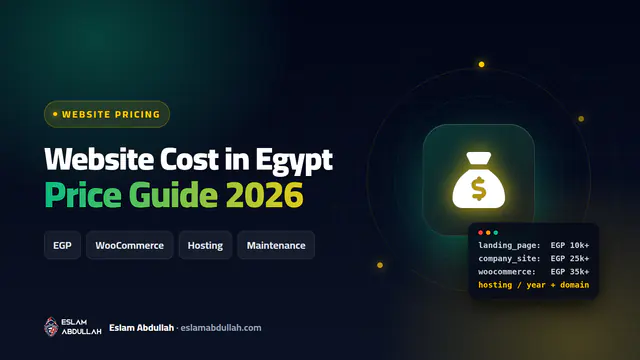
The table below shows approximate 2026 market ranges in Egypt, based on what freelancers and agencies typically charge. They are not my price list; every site is quoted after a review.
| Service | Approximate range (EGP) |
|---|---|
| One-time security audit and hardening (small business site) | 3,000 – 10,000 |
| Audit and hardening for WooCommerce or LMS sites | 8,000 – 25,000 |
| Monthly maintenance and security plan (small site) | 1,500 – 5,000 per month |
| Monthly plan for stores and high-traffic sites | 5,000 – 15,000+ per month |
| Premium security tools and licences | Priced in USD, so the EGP cost moves with the exchange rate |
What drives the price: the number of plugins and custom code, whether the site processes payments or personal data, server access (shared hosting vs VPS), how many sites are covered, and the response time you need when something goes wrong.
Want me to secure your WordPress site?
I am Eslam Abdullah, a WordPress developer and web security specialist with 8+ years of experience and 450+ delivered projects for clients in Egypt, Saudi Arabia, the Gulf, the UK and the US. I run a full audit, fix what is risky, harden the server and set up backups and monitoring, then hand you a clear report.
- Security audit, hardening and malware cleanup: website security and malware removal.
- Ongoing updates, backups and monitoring: website maintenance and support.
Tell me about your site through the contact form and I will reply with a practical plan.
Key takeaways
- Plugins are the main risk: Patchstack counted 11,334 new WordPress vulnerabilities in 2025, 91% of them in plugins and only 6 in core.
- Speed matters: heavily targeted vulnerabilities were mass-exploited a median of 5 hours after disclosure, so update fast or use virtual patching.
- Every administrator needs 2FA or a passkey, a unique password and only the role they actually need.
- Harden the basics: DISALLOW_FILE_EDIT, 755/644 permissions, a locked-down wp-config.php and no PHP execution in uploads.
- A backup only counts if it is off-site, automatic and restore-tested.
Frequently asked questions
What is the most important WordPress security step?
Keeping plugins, themes and core updated, and deleting what you do not use. Patchstack found that 91% of new WordPress vulnerabilities in 2025 were in plugins, so plugin hygiene removes most of the risk.
Is WordPress secure enough for an online store?
Yes. WordPress core had only 6 vulnerabilities in 2025. Stores become risky because of outdated plugins, weak admin logins and poor hosting. With updates, 2FA, a WAF, hardening and tested backups, WooCommerce can be run securely.
Do I need a paid security plugin?
Not always. Free tools plus good habits cover a lot. However, free Wordfence receives new firewall rules 30 days after Premium, so busy stores and membership sites usually benefit from real-time protection.
How often should I back up my WordPress site?
Daily for stores, news and membership sites, weekly for small brochure sites. Keep copies off-site for at least 30 days and test a full restore every month.
Should I hide wp-admin or change the login URL?
It reduces bot noise but is not real protection. Two-factor authentication, rate limiting and a WAF are what actually stop account takeover.
Need a hand with this?
I can do it for you – fast, secure and done right the first time. Free consultation on WhatsApp.
Sources
- Patchstack – State of WordPress Security in 2026
- WordPress.org – Hardening WordPress (Advanced Administration Handbook)
- WordPress.org – Brute Force Attacks (Advanced Administration Handbook)
- Sucuri – 2023 Hacked Website & Malware Threat Report
- BleepingComputer – WordPress backup plugin flaw exposes millions of sites
- W3Techs – Usage statistics of WordPress
- FatLab – Wordfence Free vs Premium pricing 2026