Business Network Security: How to Secure Your Company Network and CCTV Cameras

Quick answer
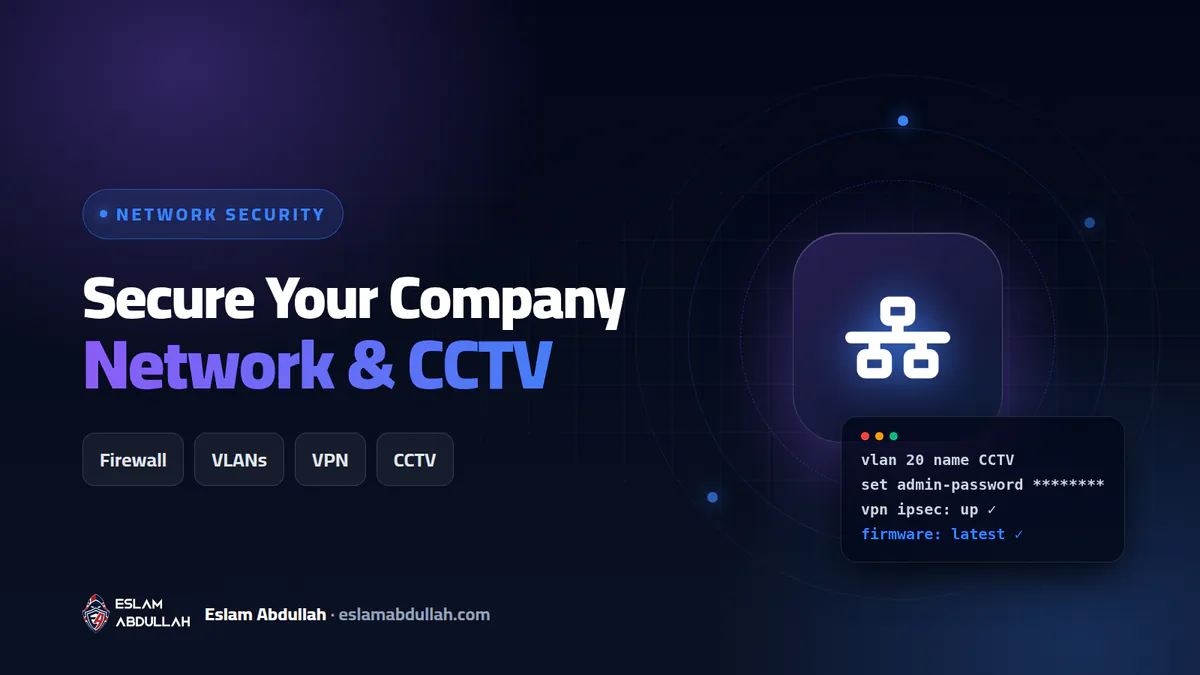
To secure a company network and its CCTV system, put a properly configured next-generation firewall at the edge, split the network into VLANs so cameras, guests and servers are isolated, and allow remote access only through a VPN with multi-factor authentication. Then change every default password, keep firewall, camera and NVR firmware updated, lock down Active Directory, back up configurations and monitor the logs.
Most small and mid-sized companies I work with in Egypt and the Gulf share the same network story: an ISP router, one flat network where every laptop, printer, recorder and guest phone can see every other device, a firewall (if there is one) still running the firmware it shipped with, and CCTV cameras reachable from the internet through a port forward someone opened years ago. It works until the day it does not. This guide is the checklist I use as an IT infrastructure engineer to secure a company network and its IP cameras, in the order I actually do it.
Why company networks and CCTV systems get breached
Attackers no longer need to trick a person when an unpatched device is waiting at the edge. According to Verizon's 2026 Data Breach Investigations Report, 31% of breaches now start with the exploitation of software vulnerabilities, overtaking stolen passwords as the top way in, and 48% of all breaches involve ransomware. The 2025 edition's small-business snapshot is even starker: ransomware was present in 88% of breaches at small and medium-sized businesses, and edge devices and VPNs made up 22% of the targets of vulnerability exploitation.
Cameras and recorders are part of that edge. In April 2026, researchers tracked new Mirai botnet variants recruiting routers and digital video recorders through old, publicly known flaws, including CVE-2024-3721 in TBK DVRs. The pattern repeats every time: cheap or forgotten devices, default credentials, no updates and direct exposure to the internet. The weak points I find most often during audits are:
- The firewall's management interface (HTTPS or SSH) open on the WAN port.
- One flat network: guests, staff, servers and cameras on the same subnet.
- The NVR's web or mobile port forwarded from the router to the internet.
- Default or shared admin passwords on cameras, switches, printers and access points.
- Domain admin accounts used for daily work, and no multi-factor authentication (MFA) on the VPN.
Step 1: Put a real small business firewall at the edge
An ISP router is not a security device. A next-generation firewall (NGFW) such as a FortiGate gives you stateful filtering, intrusion prevention (IPS), web and DNS filtering, application control, IPsec or SSL VPN and proper logging. For offices of roughly 10 to 50 users, entry models like the FortiGate 40F or 60F are common choices; larger sites and multi-branch companies move up to the 100F class and beyond.
Buying the box is the easy part. Most of the protection comes from how it is configured:
- Update firmware before go-live. Firewalls are prime targets. In January 2026 CISA warned about active exploitation of CVE-2026-24858, a critical authentication bypass in FortiCloud single sign-on (SSO) affecting FortiOS, FortiManager and FortiAnalyzer. Follow your vendor's security advisories and patch critical firewall bugs within days, not months.
- Close management to the internet. Disable HTTPS and SSH administration on the WAN interface, allow admin access only from a management VLAN or trusted hosts, and set a login lockout.
- Turn off what you do not use. If you do not need FortiCloud SSO administrative login, disable it. The same applies to unused VPN portals, legacy protocols and UPnP.
- Named admin accounts with MFA. One account per administrator, strong unique passwords, MFA, and no shared
adminlogin. - Default-deny policies. Write explicit rules between zones (staff, servers, CCTV, guest), enable IPS, antivirus and web filtering on outbound traffic, and block every inbound connection you cannot justify in writing.
- Back up the configuration. Export an encrypted configuration after every change and store it off the device.
Step 2: Segment the network with VLANs
Segmentation is the single change that limits damage the most. With virtual LANs (VLANs) on managed switches and inter-VLAN routing through the firewall, a compromised camera or an infected guest laptop cannot reach your file server or domain controller. A typical layout I use for small offices:
| VLAN | What lives there | Allowed to reach |
|---|---|---|
| Management | Firewall, switch and access-point admin interfaces | Only IT admin workstations |
| Servers | Domain controller, file server, ERP, backup server | Staff VLAN on required ports only |
| Staff | Company laptops and desktops | Servers and filtered internet |
| CCTV | IP cameras and NVR | Nothing outbound; NVR viewable from the security desk or VPN only |
| VoIP and printers | IP phones, printers, scanners | Specific servers only |
| Guest Wi-Fi | Visitors and personal phones | Internet only, with client isolation |
Two rules matter more than the exact VLAN numbers: every VLAN reaches another only through a firewall policy, and the CCTV VLAN gets no internet access at all unless a specific cloud service has been reviewed and approved.
Step 3: Secure remote access (VPN) and Wi-Fi
VPN with MFA, never open ports
Remote access should go through a VPN on the firewall, never through port forwarding to Remote Desktop (RDP), an NVR or a NAS. Require MFA for every VPN user, limit each VPN group to the resources it actually needs, keep the VPN client and firmware patched, and review who still has access every quarter. Accounts of people who have left are exactly what attackers look for.
Wi-Fi that does not leak into the LAN
- Use WPA3, or WPA2/WPA3 mixed mode if older devices require it; for larger teams use WPA2/WPA3-Enterprise with per-user logins through RADIUS or Active Directory.
- Put guests on a separate SSID mapped to the guest VLAN, with client isolation and bandwidth limits.
- Disable WPS, change default controller passwords and keep access-point firmware updated.
- Rotate the guest password regularly and never give the staff key to visitors.
Step 4: Harden IP cameras and the NVR
CCTV security is where I see the most shortcuts. Installers want the system working on the owner's phone on day one, so they forward ports and leave factory settings in place. CISA has urged manufacturers to eliminate default passwords because attackers scan for them at scale; until every vendor does, it is your job. My camera hardening sequence:
- Replace every default password. Set a unique, strong password on the NVR and each camera, create separate viewer accounts for staff, and keep the admin account for IT only.
- Update firmware on the NVR and cameras from the manufacturer's official site, and plan to replace end-of-life models that no longer receive updates.
- Remove port forwarding and UPnP. Close every router port forward to the NVR. For remote viewing, use the company VPN; if the vendor's cloud or P2P service is truly needed, enable it deliberately with MFA instead of leaving it on by default.
- Disable unused services such as Telnet, SSH, FTP and ONVIF if you do not use them, and enable HTTPS on the web interface.
- Isolate on the CCTV VLAN and block cameras from reaching the internet directly.
- Sync time. Point devices to an internal NTP server so recordings carry correct timestamps that hold up as evidence.
- Protect the recordings. Use surveillance-grade disks, set retention to what your policy requires, restrict export rights and physically lock the NVR.
Legal note for Egypt: the executive regulations of the Personal Data Protection Law (Law 151 of 2020), issued by Ministerial Decree 816 of 2025, address CCTV. According to Al Tamimi and Company's summary, public CCTV requires a licence or permit and a visible notice, and facial recognition is prohibited unless authorised by law or with consent. Check with your legal adviser before switching on face analytics.
Step 5: Lock down identities and Active Directory
Many attacks that start at the edge end at the domain controller. If your company runs Windows Server Active Directory (AD), these controls give the biggest return for the effort:
- Separate daily user accounts from admin accounts; nobody reads email while logged in as Domain Admin.
- Keep the Domain Admins group as small as possible and review its membership monthly.
- Deploy Windows LAPS so every PC has a unique, automatically rotated local administrator password. Microsoft documents it as built into current Windows 11 and Windows Server releases and designed to stop pass-the-hash lateral movement.
- Enforce MFA on email, VPN and any remote access, and use long passphrases with account lockout.
- Disable stale accounts and remove leavers on their last working day.
- Use Group Policy to disable legacy protocols such as SMBv1 and NTLMv1, enforce screen lock and restrict USB storage where needed.
Step 6: Updates, backups and monitoring
Patch on a schedule
Keep an inventory of every firewall, switch, access point, camera, NVR, server and PC with its firmware or OS version. Patch Windows monthly and treat critical firewall or VPN advisories as emergencies. Reporting on the 2026 Mirai campaigns shows why: old CVEs get weaponised long after disclosure, as soon as public exploit code appears.
Backups that survive ransomware
Follow at least the 3-2-1 rule: three copies, on two types of media, with one offsite, and keep one copy offline or immutable. Back up servers, AD, firewall and switch configurations and NVR settings, then test a restore every quarter. My ransomware protection guide for businesses explains the stronger 3-2-1-1-0 model step by step.
Monitor and alert
- Send firewall, VPN and AD logs to a central log server, FortiAnalyzer or a SIEM, and keep them for at least 90 days.
- Alert on new admin accounts, repeated failed VPN logins, configuration changes and cameras going offline.
- Review firewall rules and VPN users every quarter, and scan your public IP from outside to confirm nothing unexpected is exposed.
Attackers now use AI to find exposed devices and write convincing phishing faster than ever. I covered what that means for defenders in AI-powered cyber attacks.
What company network and CCTV security costs in Egypt (2026)
The figures below are approximate market ranges based on Egyptian retailer listings in September 2026 and typical project quotes. They are not my price list, and they move with the exchange rate, stock and licensing terms.
| Item | Approximate 2026 range (EGP) | Notes |
|---|---|---|
| Entry NGFW (e.g. FortiGate 40F or 60F) | 20,000 to 35,000 | Hardware price; security subscriptions add a yearly cost |
| Mid-range NGFW (FortiGate 100F class) | 100,000 to 265,000 | Depends on bundle, support level and years of licence |
| Branded 2 to 4 MP IP camera | 5,000 to 6,500 each | Budget brands cost less but often receive fewer firmware updates |
| NVR, 8 to 16 channels | 8,000 to 15,000 | Plus surveillance hard disks sized for your retention period |
| Design, configuration and hardening (one office) | 15,000 to 60,000 | Driven by users, VLANs, cameras, branches and documentation |
What really drives the total: the number of users and devices, how many branches need site-to-site VPN, the licence tier and duration, cabling and PoE switches, camera count, resolution and retention days (which decide storage), how much existing equipment can be reused, and the support response time you need.
Get your company network and cameras secured
I have spent 8+ years in IT infrastructure and web security, including my role since 2021 as IT Infrastructure Engineer at Egyptian International Shipping Agencies and Services, where firewalls, VLANs, VPNs, Active Directory and CCTV are daily work. I follow the same checklist above for companies in Egypt, Saudi Arabia, the Gulf, the UK and the US.
- IT infrastructure and network security: firewall setup, VLAN design, VPN, Wi-Fi and CCTV hardening.
- Servers and hosting management: Windows Server, Active Directory, backups and monitoring.
- Website security and malware removal if your public website needs the same level of protection.
You can review my work in the portfolio, or send me a message with your number of users, branches and cameras, and I will suggest a practical plan and budget.
Key takeaways
- Edge devices are the new front door: Verizon's 2026 DBIR says 31% of breaches now start with an exploited vulnerability, ahead of stolen passwords.
- A small business firewall only protects you if its management interface is closed to the internet, its firmware is current and every admin uses MFA.
- VLANs are the cheapest damage limiter: cameras, guests, staff and servers should only talk to each other through firewall rules.
- Never port-forward an NVR, RDP or NAS to the internet; use a VPN with MFA and remove default camera passwords on day one.
- Back up servers and device configurations with the 3-2-1 rule, keep one copy offline, and centralise logs so you can see an attack early.
Frequently asked questions
Does a small business really need a firewall like FortiGate, or is the ISP router enough?
An ISP router only does basic NAT and has no intrusion prevention, web filtering, VLAN policies, proper VPN or logging. Any company with servers, shared files, CCTV or remote staff benefits from a small business firewall such as a FortiGate 40F or 60F, provided it is patched and configured correctly.
How can I view my CCTV cameras from my phone securely?
Connect to the company VPN with multi-factor authentication and then open the NVR app over the VPN. Avoid forwarding NVR ports on the router. If you must use the vendor cloud or P2P service, enable it deliberately, use a strong unique password with MFA, and keep the firmware updated.
How often should I update firewall, camera and NVR firmware?
Check for updates at least monthly and apply critical security fixes for firewalls and VPNs within days of release. Cameras and NVRs should be reviewed quarterly, and models that no longer receive updates should be replaced or fully isolated on the CCTV VLAN.
Do I need VLANs if my company has only 10 or 15 employees?
Yes. Size does not matter to attackers. Separating staff, servers, CCTV and guest Wi-Fi into VLANs costs little on a managed switch and firewall, and it stops a hacked camera or an infected visitor phone from reaching your file server or accounting system.
Can hackers really take over IP cameras, and what happens if they do?
Yes. Botnets such as Mirai variants scan the internet for cameras and DVRs with default passwords or known vulnerabilities. A hijacked camera can be used for DDoS attacks, to spy on your premises, or as a foothold into the rest of the network if it is not isolated.
Need a hand with this?
I can do it for you – fast, secure and done right the first time. Free consultation on WhatsApp.
Sources
- Verizon – 2026 Data Breach Investigations Report
- Verizon – 2025 DBIR Small and Medium-Sized Business Snapshot
- CISA – Fortinet guidance on exploitation of CVE-2026-24858
- Help Net Security – New Mirai variants target routers and DVRs (April 2026)
- CISA – Secure by Design Alert: eliminating default passwords
- Microsoft Learn – Windows LAPS overview
- Al Tamimi & Company – Egypt issues Executive Regulations of the Personal Data Protection Law